Have you ever watched your video buffer during a scenic stop or missed an important call because your RV’s signal dropped at the worst possible moment?


Product Overview: weBoost Drive Reach RV II- Cell Phone Signal Booster kit | Boosts 4G LTE & 5G for All U.S. Carriers – Verizon, AT&T, T-Mobile & More | Made in The U.S. | FCC Approved (Model 474061)
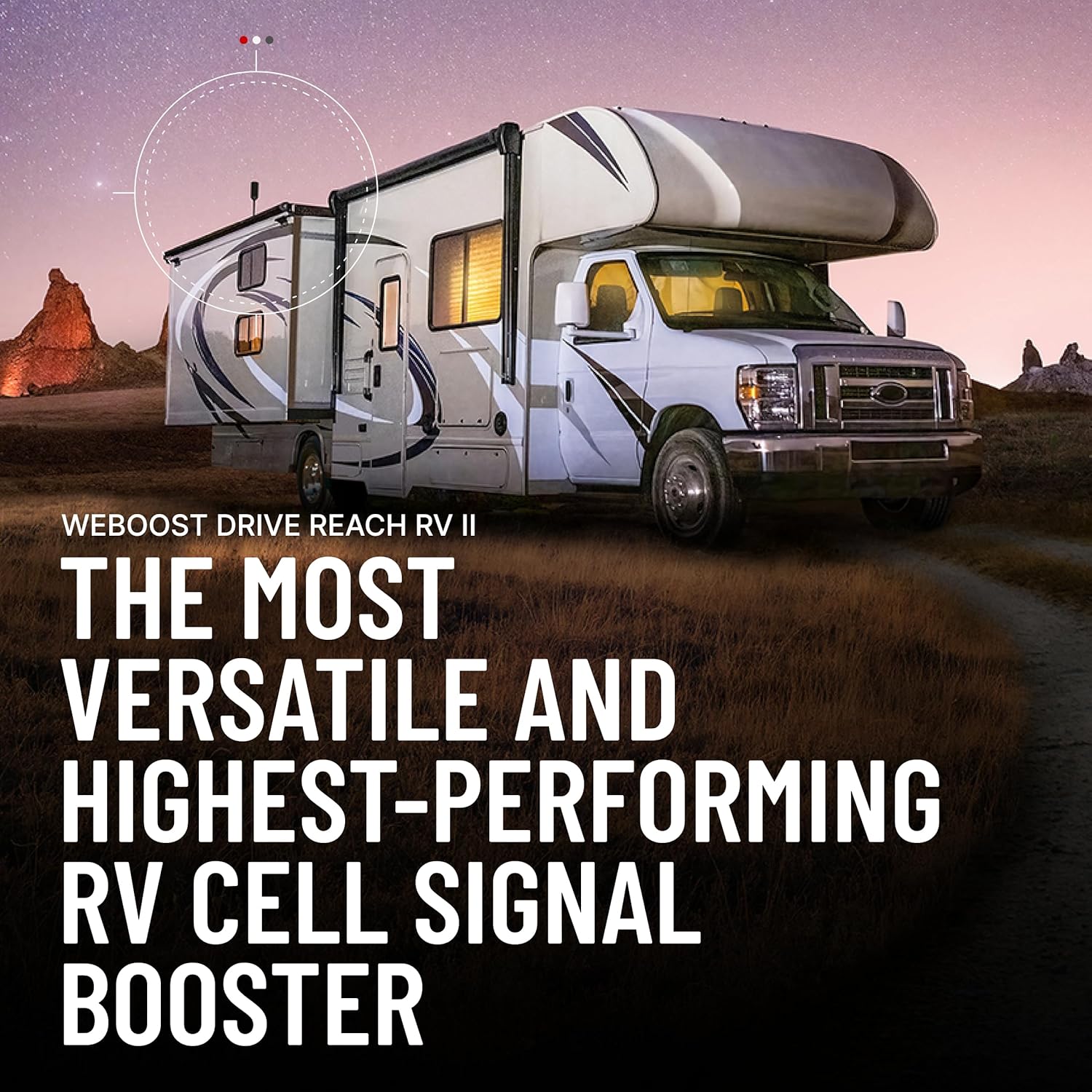
You’re looking at a vehicle-specific signal booster that’s built for RV life, and it’s designed to improve both voice and data performance for all U.S. carriers. The weBoost Drive Reach RV II aims to give you stronger reception across 4G LTE and 5G signals by combining an outdoor antenna, a powerful inside mini panel antenna, a long low-loss cable, and flexible power options.

weBoost Drive Reach RV II- Cell Phone Signal Booster kit | Boosts 4G LTE & 5G for All U.S. Carriers - Verizon, AT&T, T-Mobile & More | Made in The U.S. | FCC Approved (Model 474061)
What’s in the Box
You’ll get the core components you need to get started right out of the box, and you’ll appreciate that the package is focused on practical RV installation. Items include the durable outside antenna with an adjustable bracket, the mini panel inside antenna, a 25-foot low-loss cable, a new cable entry cover, and power supply options for both AC/DC and hardwiring.
Outside Antenna
The outside antenna is built to withstand the rigors of travel and weather on the road, so you don’t have to worry when you’re parked for a week at a lakeside campground. It’s engineered to enhance signal reach up to three times the distance from the nearest tower, which can drastically reduce dropped calls by up to 90% in many situations.
Inside Antenna
The new powerful mini panel inside antenna provides concentrated, directional signal gain where you need it most inside the RV. Because it’s a re-positionable panel, you can point it toward the seating, sleeping, or work areas to maximize coverage to the devices that matter.
Cables and Connectors
You’ll find a new, flexible 25-foot cable included, which reduces attenuation and makes routing simpler through your RV’s walls and roof entries. The new cable entry cover supports optimal antenna placement by allowing you to route the cable directly into the RV without hacking up trim.
Power Supply Options
You’ll have choices when it comes to powering the unit: AC/DC wall power or hardwire connections. That flexibility means you can use standard campground power or integrate the booster into your RV’s electrical system for a permanent install.

Key Features and Benefits
You’ll notice that the Drive Reach RV II brings several upgrades targeted specifically at RV owners, from a durable outside antenna to better inside signal distribution. These combine to improve calling, text reliability, and mobile data performance across multiple devices in your rig.
Signal Improvement and Range
The outside antenna’s design enhances signal reach up to 3X the distance from the nearest tower, which can close gaps where towers are too far away or obstructed. In practical terms, you should expect fewer dropped calls and more stable data sessions in marginal coverage areas.
Mounting Flexibility
The versatile mounting bracket adjusts 180° in both directions and supports T-slot, pole, or fixed mounting configurations. This flexibility allows you to place the antenna on a roof rail, a conventional pole mount, or into a T-slot system without buying additional hardware.
Robust Cable and Routing
The new flexible 25-foot cable is meant to be lower loss than previous offerings, making it easier to maintain stronger signal levels from the outside antenna to the interior unit. The included cable entry cover also helps keep your installation neat while minimizing water intrusion risk.
Inside Antenna Gain and Coverage
The mini panel inside antenna offers higher signal gain than many standard interior antennas, concentrating coverage where you spend time inside the RV. Its directionality is useful for creating a focused coverage zone, reducing the chance of interference and self-oscillation.
FCC Approval and Carrier Compatibility
Because the Drive Reach RV II is FCC approved and is built to work with all major U.S. carriers (Verizon, AT&T, T-Mobile, and more), you don’t have to worry about legal or compatibility problems. You’ll be able to use the booster across multiple devices and handsets without carrier-specific limitations.
Technical Specs and Quick Breakdown
Below is a clear table to help you compare the most important specs and practical features at a glance. This can help you decide if the unit fits your RV setup and expectations.
| Item | Specification / Detail |
|---|---|
| Model | weBoost Drive Reach RV II (Model 474061) |
| Carrier Support | All U.S. carriers (Verizon, AT&T, T-Mobile, etc.) |
| Network Types | 4G LTE & 5G (cellular bands supported) |
| Outside Antenna | Durable, weather-resistant; boosts reach up to 3X |
| Inside Antenna | Powerful mini panel, directional and repositionable |
| Cable | New flexible 25-foot low-loss cable |
| Mounting | Versatile bracket; 180° adjustment; T-slot, pole, fixed |
| Power Options | AC/DC wall power and hardwire connections |
| Coverage Improvement | Reduces dropped calls by up to 90% (manufacturer claim) |
| Compliance | Made in the U.S.; FCC approved |
| Intended Use | RVs, motorhomes, larger vehicles |

Installation Guide: Planning Your Install
You’ll want to plan your installation before you start cutting holes or drilling mounts so you can route cable cleanly and pick an optimal outside antenna location. Think about where you spend most of your time in the RV so you can aim the interior mini panel accordingly.
Choosing the Outside Antenna Location
Pick a roof position with minimal obstruction from nearby taller structures and away from vents or satellite domes if possible. The ability to adjust the bracket 180° makes it easier to fine-tune placement after a temporary trial.
Routing the Cable and Using the Entry Cover
Use the cable entry cover to route the 25-foot cable into the RV, minimizing water intrusion and keeping the exterior finish intact. Plan a route that avoids sharp bends and high-heat areas and leaves enough slack for changes or future re-positioning.
Mounting the Inside Antenna
Place the mini panel where you spend time—near the living area or where you typically use mobile devices. Because it’s directional, you’ll get the best results pointing the panel toward the main activity zone rather than tucking it in a corner.
Powering the Booster
If you’re at a campground with shore power, the AC/DC option is simple and effective for occasional use. For a permanent setup, hardwiring to the RV’s electrical system provides continuous power without running extension cords.
Testing and Optimization
Once installed, test with multiple devices in different spots to identify dead zones and adjust the inside antenna accordingly. Small changes in antenna position or orientation can have big effects, so be patient and methodical.
Performance in Real-World Use
You’ll see different levels of improvement depending on where you travel and how far you are from towers, but overall the kit is targeted at RV owners who need a reliable boost on the road. Many RV users notice dramatic improvements in rural and fringe coverage areas where cell towers are sparse.
On Highways and Rural Areas
On long stretches of highway or in rural areas, the outside antenna’s increased reach can help you maintain calls and data sessions that would otherwise fail. You’ll likely notice fewer dropped calls and better data throughput when the tower signal is weak but not completely absent.
In Campgrounds and RV Parks
Campgrounds are often full of competing signals and sometimes poor tower alignment; the Drive Reach RV II helps you concentrate the stronger signal inside your rig. You’ll benefit from more stable video calls, smoother streaming, and quicker app updates while parked.
City Driving and Urban Areas
In urban areas, signal strength is often good but crowded networks can be slow. The booster won’t create new capacity from the cell tower, but it can improve your handset’s connection quality by raising the received signal, which often results in faster, more reliable performance.
Data Speeds and Voice Calls
You’ll notice fewer dropped calls and more reliable texting in low-signal zones, and data throughput is frequently improved because your devices will operate at a higher signal level. If you’re streaming video or using hotspot features for work, you’ll see a more consistent experience in many situations.
Installation Tips and Best Practices
You’ll get the best results when you follow a few practical tips learned from RV installs and user experience. Planning, patience, and testing are the three things that will save you time and frustration.
- Plan the outside antenna positioning by doing a temporary mount first and testing signal before committing to permanent mounting. This lets you fine-tune the placement without drilling multiple holes.
- Keep cable runs as short and straight as possible, and avoid tight bends or kinks that increase attenuation. The 25-foot cable gives you flexibility; if you need longer runs, factor in additional low-loss cable and connectors.
- Use the inside antenna to point at your primary seating or sleeping area rather than trying to centrally locate it for the entire RV. Directionality concentrates the gain where you need it most.
- When hardwiring, use a fuse and proper wiring gauge per the manufacturer’s recommendations. This protects your RV’s electrical system and the booster from faults.
- Avoid placing the inside and outside antennas too close to one another; the booster needs separation to prevent oscillation. Follow the recommended minimum distance in the manual.
Maintenance and Longevity
You’ll appreciate that the components are made for travel and exposure, but routine maintenance extends longevity and reliability. Inspect the outside antenna and mounting hardware for corrosion, check cable connections for water intrusion, and verify the entry cover seals remain intact.
Weatherproofing and Corrosion Prevention
Regularly check the bracket and fasteners for rust or loosened hardware, especially if you’re doing frequent coastal trips. Apply non-conductive waterproofing to exposed connections where appropriate and ensure screws and clamps are secure.
Cable Care and Connector Checks
Keep the cable run clear of heat sources and moving components; cable aging is accelerated by bending and abrasion. Periodically tighten connectors and check for moisture; replace any sections that show cracking or excessive wear.

Troubleshooting Common Issues
You’ll likely encounter a few common issues, and knowing the quick checks will save you time. Use a systematic approach: verify power, check antenna placement, inspect connectors, and ensure the booster isn’t oscillating.
Weak or No Improvement
If there’s little to no improvement after installation, first verify that the outside antenna actually has line-of-sight to some tower direction and is mounted upright. Check the cable connections and ensure the inside antenna is positioned away from the outside antenna to avoid feedback.
Intermittent Connection or Oscillation
If the booster shuts down or shows unstable operation, it could be oscillating because the inside antenna is too close to the outside antenna or the cables are routed improperly. Increase separation, reorient the inside antenna, and verify the system has proper grounding.
Noise, Static, or Audio Dropouts
Audio artifacts often indicate a weak upstream signal or interference from nearby electronics. Try moving the inside antenna farther from appliances, electronics, or metallic surfaces, and verify the outside antenna orientation for best tower reception.
Power Issues
If the unit won’t power on, verify the power source and fuse (for hardwired setups). Swap to the AC/DC adapter if you’re hardwired to isolate whether the RV’s power system or the booster is at fault.
Comparison with Other RV Boosters
When you compare the Drive Reach RV II to other RV boosters, you’ll notice it focuses on a balance of durability, ease of installation, and targeted interior coverage. Some competitors offer more universal omnidirectional interior panels or longer cables out of the box, but the repositionable mini panel and robust mounting options here are geared specifically toward RV lifestyles.
How It Stacks Up on Ease of Use
You’ll find installation simpler than some kits because of the flexible cable and the included entry cover. The straightforward AC/DC and hardwire options help whether you’re a casual user or want a permanent solution.
How It Stacks Up on Performance
In many real-world tests, kits like this are very effective at bringing marginal signals back into usable range — especially in rural or fringe areas. If you need extra reach beyond what this system provides, you’ll want to look at higher-gain or custom outside antennas, but those add complexity and potential regulatory considerations.

Pros and Cons
You’ll want to weigh the benefits against limitations to decide whether this is the right booster for your RV.
Pros:
- Durable outside antenna and flexible mounting options suited to RV roofs and rails.
- New 25-foot low-loss cable reduces attenuation and simplifies routing.
- Powerful mini panel inside antenna provides focused coverage where you need it.
- Supports 4G LTE and 5G for all U.S. carriers and is FCC approved.
- Flexible power options (AC/DC and hardwire) for temporary or permanent installs.
Cons:
- Directional inside antenna means you’ll need to place and aim it carefully to cover all desired areas.
- The 25-foot cable is great for many installs but might be short for very large rigs with inconvenient entry points.
- If you’re in an area with zero tower coverage, no booster will help — the booster needs a usable outside signal to amplify.
Who Should Buy This Booster
You should consider this booster if you spend a lot of time in RV parks, campgrounds, or traveling rural routes where signal strength varies widely. It’s particularly useful if you rely on mobile hotspots for work, streaming, or remote connectivity and need more consistent service inside your RV.
Who Might Want Something Else
If you have a very large bus or a motorhome with an unusual roof layout that requires longer cable runs or specialized antenna placement, you may need additional accessories or a custom antenna solution. Also, if your primary issue is carrier network congestion in densely populated urban centers, a booster can only do so much — it won’t create more network capacity.
Frequently Asked Questions (FAQ)
You’ll likely want clear answers to a few common questions before buying and installing.
Q: Will this work with my carrier? A: Yes, it supports all major U.S. carriers including Verizon, AT&T, and T-Mobile, for both 4G LTE and 5G signals. Because it’s FCC approved and carrier-agnostic, you can use it with multiple phones and hotspots.
Q: Can I install it myself? A: Yes, many RV owners complete the installation themselves with basic tools and some planning. If you’re uncertain about hardwiring, an RV technician or electrician can do the final electrical work.
Q: How much improvement can I expect? A: The manufacturer states up to 3X the distance from the nearest tower and up to 90% fewer dropped calls, but real-world results depend on tower proximity, obstructions, and local RF conditions. Most users report a clear boost in marginal signal areas and better call and data stability.
Q: Do I need a permit or approval to install this on my RV? A: Generally no — it’s designed for RV use and comes FCC approved. If you mount to a leased campsite or a special property, you may want to confirm any mounting restrictions with the site owner.
Practical Use Cases and Scenarios
You’ll find the Drive Reach RV II helpful in a variety of real-world situations, from full-time living to weekend adventures.
- Remote work from your RV: Get more reliable hotspot performance and fewer dropped video calls, especially at campgrounds and rest stops.
- Streaming and entertainment: Enjoy fewer buffering interruptions when watching movies or live TV while parked.
- Road trips through low-coverage areas: Maintain better navigation, music streaming, and messaging when towers are sparse.
- Family travel and multiple devices: With stronger signal distribution, multiple users can browse, stream, and make calls at the same time.
Final Verdict
If you want a practical, RV-focused approach to improving cellular reception, you’ll find the weBoost Drive Reach RV II a thoughtful package with durable hardware and useful features. The system’s combination of a weatherproof outside antenna, a high-gain inside mini panel, a longer low-loss cable, and flexible power options makes it a strong contender for most RV owners who need better mobile signal on the road.
You’ll get obvious benefits in marginal coverage areas, more reliable voice and data performance, and a user-friendly set of installation options that fit typical RV roofs and interiors. If you plan thoughtfully, follow recommended placement, and verify power and cable routing, this model should serve you well for many miles and many seasons.

Disclosure: As an Amazon Associate, I earn from qualifying purchases.