Are you looking for a single system that can give you full exterior coverage, a large touch display, and modern smartphone integration for your RV, truck, van, or SUV?
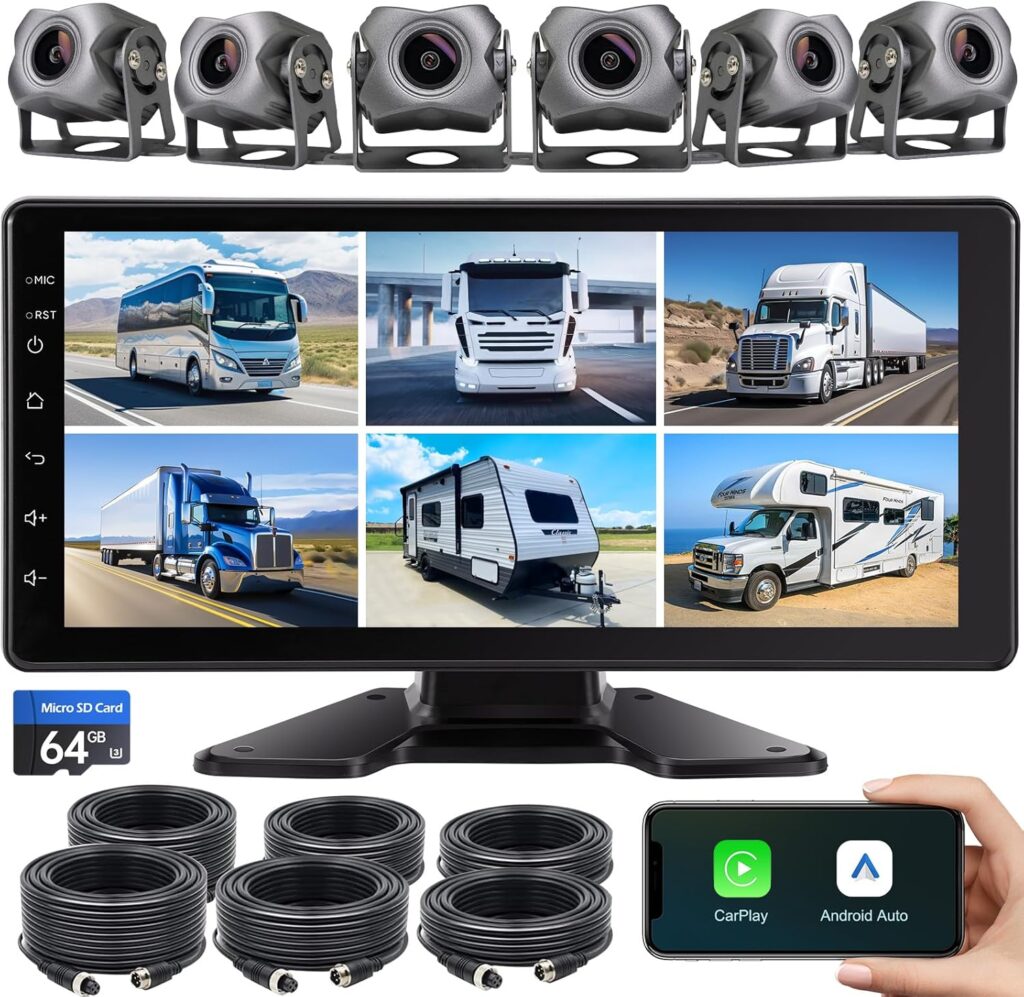

Product Overview: 6-Channel Dash Cam 1080P Backup Camera System with 10.33 Inch Touch Parking Monitor,DVR Recording Back Up Camera for RV/Truck/Trailer/Van/SUV/Cars,Wireless Carplay/Android Auto/WiFi/Bluetooth/FM Radio
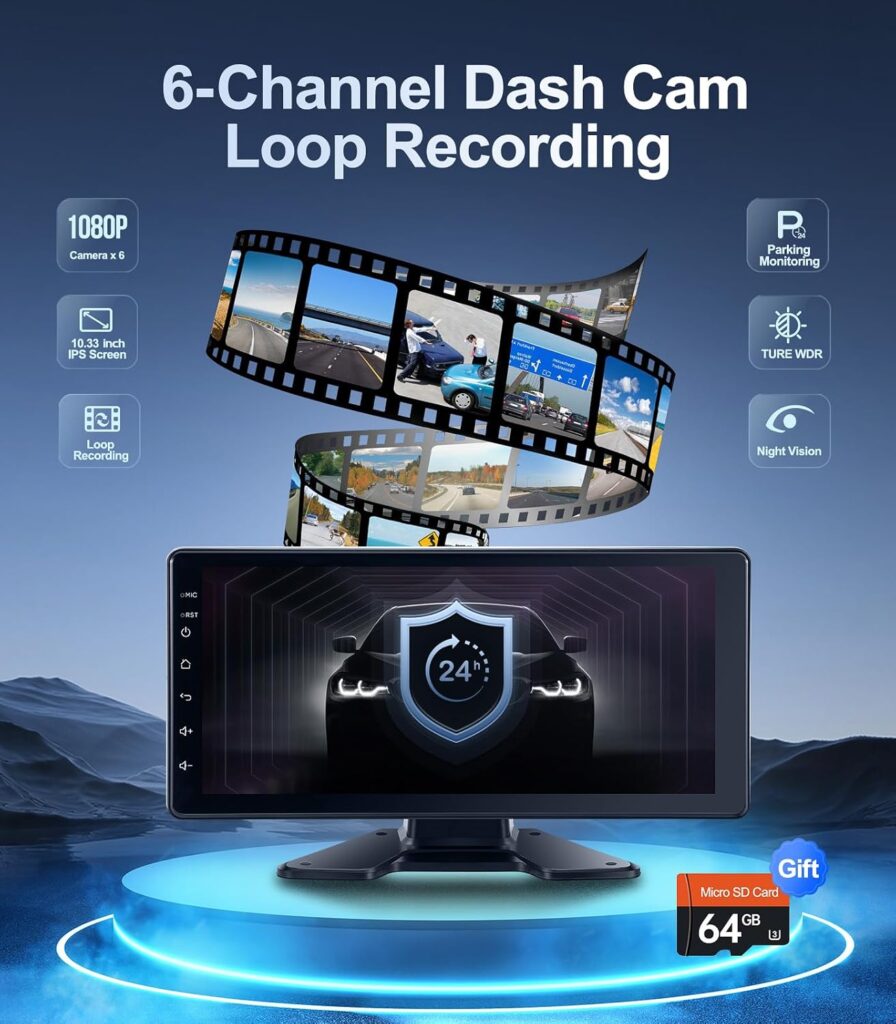
This product combines a multi-camera safety system with an Android-based head unit and a 10.33-inch HD touch screen. You get six 1080P cameras, a DVR-capable monitor, wireless Apple CarPlay and Android Auto, and connectivity features like WiFi and Bluetooth. The system is designed for larger vehicles where blind spots are a major concern, and the cameras are rated IP69 for weather resistance.
Who this is for
If you regularly drive large vehicles — such as RVs, trailers, trucks, or multi-passenger vans — this system is meant to reduce blind spots and provide both recording and entertainment. You’ll also benefit if you want a touchscreen radio replacement with modern smartphone mirroring and streaming functionality. It’s suitable for someone comfortable with a semi-technical installation or willing to have professional installation.

6-Channel Dash Cam 1080P Backup Camera System with 10.33 Inch Touch Parking Monitor,DVR Recording Back Up Camera for RV/Truck/Trailer/Van/SUV/Cars,Wireless Carplay/Android Auto/WiFi/Bluetooth/FM Radio
Key Features at a Glance
Below are the main features you’ll notice right away, summarized so you can decide whether to keep reading. Each point includes a short context so you know what it means for day-to-day use.
- Six 1080P cameras: Use multiple angles simultaneously for complete coverage. This is especially useful for long trailers, dual-axle RVs, and vehicles with multiple blind spots.
- 10.33-inch HD IPS touch screen: A large, responsive display that shows up to multiple camera views and acts as your head unit.
- DVR recording and loop playback: Continuous recording with local playback, useful for incident review or backing maneuvers.
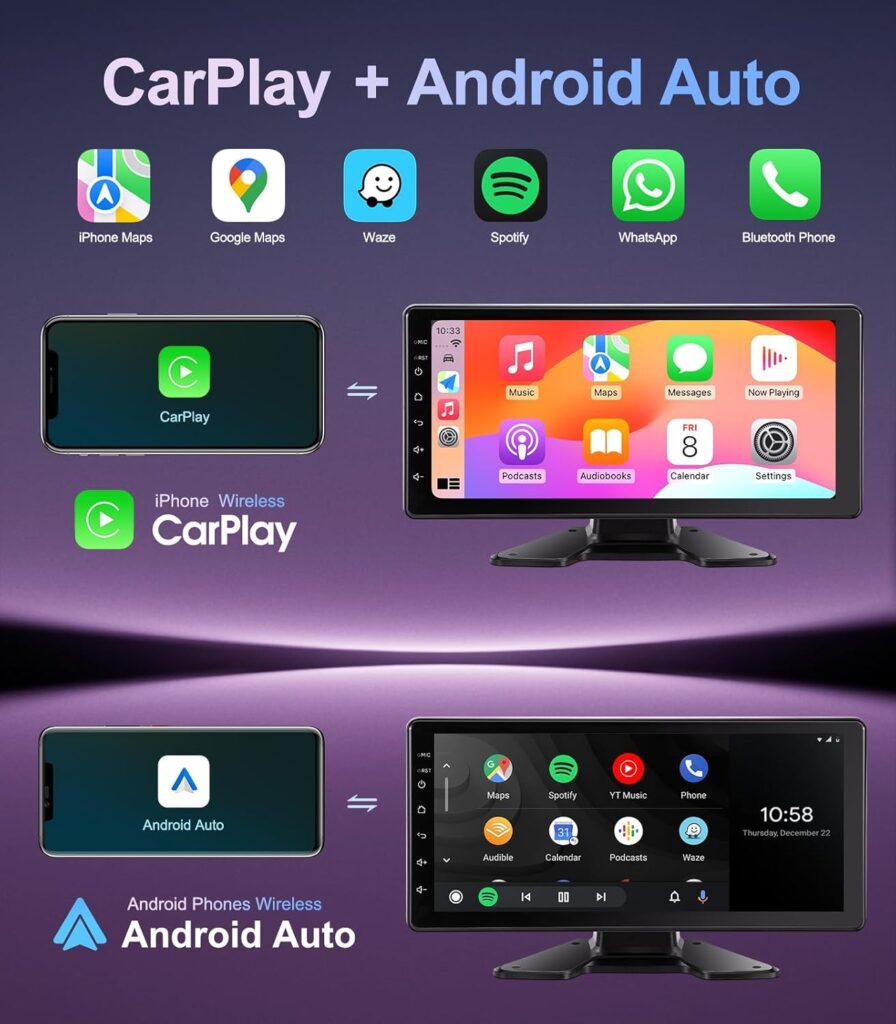
- Wireless CarPlay & Android Auto: Mirror your phone wirelessly for navigation, calls, and media.
- IP69 camera bodies: High-level waterproofing and extreme temperature tolerance for harsh conditions.
- Up to 49 ft cable: Long cable run options for versatile mounting and placement of cameras.
- Bluetooth 5.0 and WiFi: Stream audio, make hands-free calls, and download apps.
- USB support and included 64GB SD card: Plug-and-play media and local storage.
- Easy installation options: Dashboard adhesive or screw-mount cab placement with cigarette-lighter or USB power.

Quick Specifications Table
This table breaks down the main technical details to help you compare at a glance.
| Feature | Specification | Why it matters to you |
|---|---|---|
| Cameras | 6 × 1080P | High-definition views from multiple angles for reduced blind spots |
| Monitor | 10.33″ HD IPS touch screen | Large, clear display with touch control and multi-camera view |
| DVR | Built-in, loop recording | Records continuously; supports local playback for evidence or review |
| Smartphone Integration | Wireless Apple CarPlay & Android Auto | Use maps, calls, and apps hands-free and wirelessly |
| Connectivity | WiFi, Bluetooth 5.0, FM radio, USB 2.0 | Streaming, phone calls, app downloads, and media playback |
| Storage | Includes 64GB SD card; supports USB flash drives | Ready for recording and playback out of the box |
| Camera Protection | IP69, aluminum alloy shell | Extreme waterproofing and temperature resistance (-68°F to 167°F) |
| Max Cable Length | Up to 49 ft | Flexibility to mount cameras on trailers or remote locations |
| Power | Cigarette lighter/USB power cable | No hardwiring required unless you want permanent installation |
| Vehicle Fit | RVs, trucks, trailers, vans, SUVs, cars | Designed for large vehicles but usable on many vehicle types |
| Warranty | Replacement for 6 months; repair for 1 year | Basic post-purchase protection and responsive support |
Cameras and Coverage
You’ll notice the most important advantage: six separate 1080P cameras covering different angles and positions. This means you can configure front, rear, side, and even interior views to eliminate blind spots.
The long cable option (up to 49 ft) allows you to place cameras on far-off points — ideal for long trailers or extended rear overhangs. The ability to run a camera inside the cab or cargo area gives you more flexibility, like monitoring passengers or cargo. Because they’re 1080P, you’ll get a clear image that helps you judge distance and observe details in recordings.
Image Quality and Night Performance
The system records at 1080P across all cameras, which gives you a visible and useful level of detail in most conditions. You’ll find daytime clarity good for reading license plates from a moderate distance and seeing surrounding obstacles. Night performance will depend on the individual camera’s sensitivity and your vehicle’s lighting, but the system is designed for practical use after dark. Expect decent low-light performance for reversing and parking lights; however, very dark or unlit environments won’t provide as much detail as daylight.
Mounting Options and Field of View
You can mount cameras almost anywhere with this system thanks to the flexible cable length and small camera housings. Some typical configurations you might try are: front + rear + both sides for a 4-camera core, with two additional cameras for trailer ends or interior views. Field-of-view varies with camera design but is wide enough to give you a full picture without extreme fisheye distortion.
Monitor, Interface, and Usability
The 10.33-inch HD IPS touch screen is both a monitor for the cameras and your head unit for radio and smartphone integration. You’ll like the size for backing into tight spots and for using navigation apps when connected to CarPlay or Android Auto.
Touch Responsiveness and Screen Quality
The IPS panel offers wide viewing angles so passengers and drivers can see clearly from different seating positions. Touch responsiveness is adequate for most interactions like switching camera views, tapping playback controls, and using CarPlay/Android Auto. The screen is larger than typical aftermarket head units, which helps when you need multiple windows on the screen simultaneously—like a split view of rear and side cameras while navigating.
Interface and Camera Views
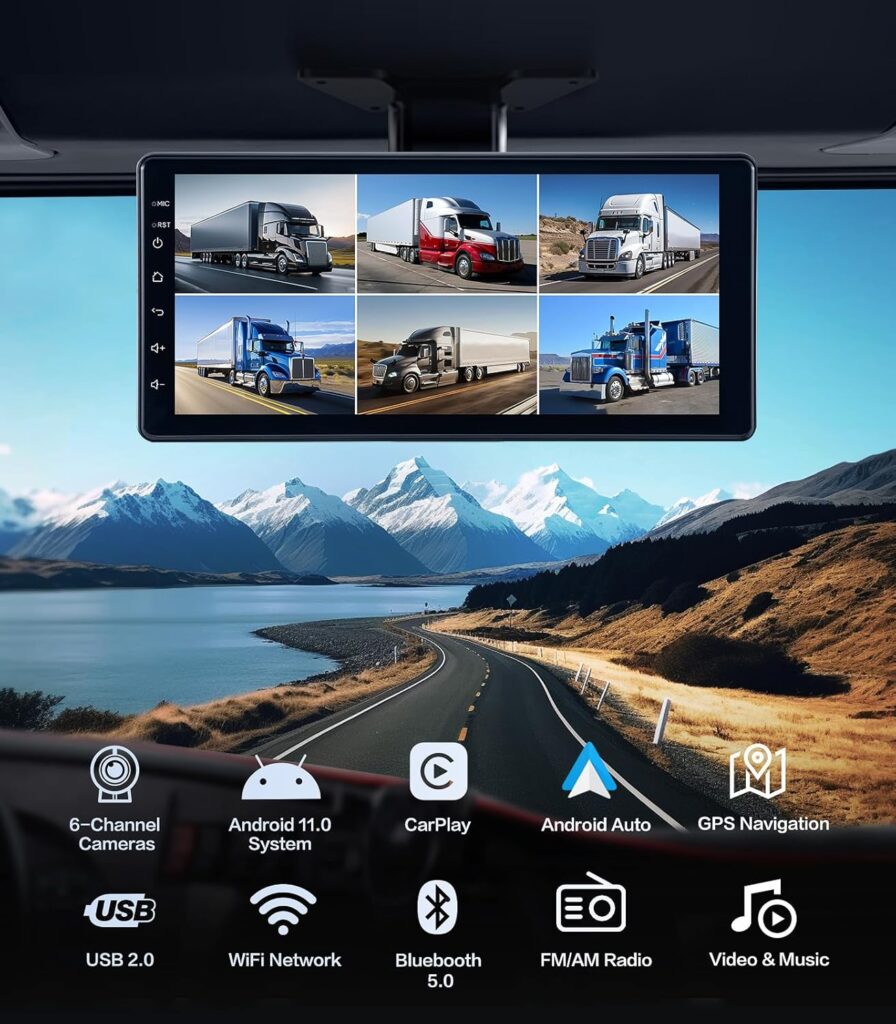
You can view multiple cameras simultaneously, and the monitor supports local playback for reviewing DVR footage. Switching between camera feeds is generally straightforward through the touchscreen. You’ll appreciate being able to see multi-view layouts to help you park and maneuver complex rigs.
DVR, Recording, and Playback
Recording is built into the monitor with loop recording so you don’t have to worry about storage running out. The included 64GB SD card will let you record for a fair amount of time, and you can swap it out or add a larger USB drive if you want longer retention.
How Recording Works for You
Recording starts automatically when powered, and the system keeps looping by overwriting the oldest footage when storage is full. This is useful because it minimizes management on your part — if you need a specific clip, you’ll want to copy it elsewhere before it gets overwritten. Local playback lets you review footage right on the screen without removing the SD card.
Event Recording and Safety
Some DVR systems include event or G-sensor triggered recording to preserve important clips; check whether your setup records triggered events (e.g., sudden impacts). If it does, that recorded segment will typically be protected from being overwritten. If you rely on the DVR for incident capture, consider swapping to a larger capacity card or periodically backing up footage to a laptop.
Smartphone Integration: Wireless CarPlay & Android Auto
You’ll find the wireless integration convenient for navigation, calls, messaging, and media. No cables are required to use CarPlay or Android Auto, which reduces clutter.
Practical Use of CarPlay/Android Auto
Using apps like Google Maps, Waze, or Apple Maps will be seamless and show on the large 10.33-inch screen. You can control music apps, use voice assistants (Siri/Google Assistant), and make hands-free calls. The wireless nature makes daily use easier since you don’t need to plug your phone in; simply connect and go.
Apps, Downloads, and Android 11
Because the head unit runs Android 11, you can download apps over WiFi — streaming services like Spotify, YouTube, and even video apps (use caution while driving) are accessible. This gives you flexibility beyond what typical OEM systems offer. Always keep safety in mind and use passenger controls for video playback while driving.
Build Quality, Weather Resistance, and Durability
The cameras have aluminum alloy housings and an IP69 rating, which is one of the more robust protection levels available. This means they’re highly water- and dust-resistant and designed to handle pressure washing and extreme conditions.
What IP69 Means for You
IP69 rating indicates the cameras can withstand high-pressure, high-temperature water jets and are fully dust-tight. For practical purposes, you can expect reliable operation in heavy rain, snow, mud, and when subjected to car washes. The aluminum housing also helps dissipate heat and provides better longevity.
Temperature Range and Outdoor Reliability
These cameras are rated to operate in extreme temperatures from -68°F to 167°F, so they’re suitable if you live in very cold or hot climates. You’ll get consistent performance where lesser camera systems might fail or fog up.
Installation and Power Options
Installation is designed to be flexible: you can mount the monitor on your dash using adhesive or screws, mount the monitor to the cab top, and route camera cables up to 49 ft. Powering via the cigarette lighter or USB cable allows for a non-invasive install if you don’t want to hardwire.
Ease of Installation for DIYers
If you’re reasonably handy, you can perform much of the installation yourself. The long camera cables allow you to place cameras where you need them, but routing and hiding cables cleanly takes time. The plug-and-play monitor reduces complexity, though mounting cameras on metal surfaces and sealing edges properly for waterproofing will require attention to detail.
Professional Installation Considerations
If you want a tidy, permanent installation with hidden power wiring and fused connections, professional installation is recommended. It’s worth paying for a professional if you’re installing cameras on trailers or need a power source that turns on/off with the vehicle ignition.
Bluetooth, WiFi, and Media Playback
The unit includes Bluetooth 5.0 for calls and contact syncing, WiFi for app downloads and streaming, plus USB 2.0 for media playback and storage.
Audio and Phone Use
Bluetooth 5.0 offers a stable connection for hands-free calls and audio streaming. Syncing contacts makes calling easier, and Bluetooth improvements over older versions give you better range and reliability. You’ll still rely on CarPlay/Android Auto for the best navigation and voice-assistant control experience.
Media Playback and Storage Options
You can play music and videos from a USB flash drive or use the included 64GB SD card. Streaming via a personal hotspot will let you access online content on the road, though you should monitor data usage. The FM radio adds another entertainment option when offline.
Performance on the Road
On the road, the system provides immediate benefits for maneuvering and safety. The camera feeds are clear enough for real-world parking and reversing tasks, and the DVR gives you a reliable record if you need it.
Real-World Use Cases
You’ll use the side and rear cameras when changing lanes or parking, and the front camera for tight clearances. RV drivers will appreciate extra cameras for hitch lines and trailer ends. Truck drivers with wide loads can keep a live eye on their cargo and trailer movements.
Reliability and Day-to-Day Durability
Expect the unit to be stable if properly powered and installed. Occasional software updates via WiFi may be available to improve functionality. Keep the firmware current and back up important footage periodically to avoid losing key recordings.
Pros and Cons
Here’s a clear summary of the advantages and potential drawbacks to help you weigh the purchase.
Pros
- Comprehensive 6-camera coverage reduces blind spots and improves safety.
- Large 10.33-inch HD touchscreen for easy monitoring and smartphone integration.
- Wireless Apple CarPlay and Android Auto for convenient, modern connectivity.
- IP69-rated cameras with a wide temperature range for tough environments.
- Long cable length (up to 49 ft) supports installations on long trailers and large vehicles.
- DVR recording with included 64GB SD card for immediate use.
- Bluetooth 5.0, WiFi, and USB support for versatile media and connectivity.
- Easy power via cigarette lighter or USB for temporary installs.
Cons
- Full setup and tidy cable routing can be time-consuming if you install it yourself.
- Night performance is adequate but ultimately limited by available vehicle lighting.
- The built-in Android system and third-party apps require careful use for safety while driving.
- If you rely heavily on event-triggered recording, confirm the specific G-sensor or event recording features before purchase.
- Larger vehicles with very long trailers may still need careful camera placement and occasional adjustments.
Comparison with Similar Systems
If you’re comparing systems, focus on camera count, resolution, screen size, smartphone integration, water resistance, and cable length. Many backup camera systems offer 2–4 cameras; this 6-camera system stands out for larger vehicles and for making multi-angle monitoring simple. The inclusion of Android 11 and wireless CarPlay/Android Auto is also a differentiator from simpler monitors that only handle camera inputs.
When to Choose This System Over a Simpler One
If you have a long trailer, multiple blind spots, or you need interior monitoring (like passenger or cargo views), this system makes more sense than a 2-camera setup. The larger screen and Android-based head unit also make it a good option if you want smartphone apps and streaming in addition to camera views.
Setup Tips and Best Practices
Follow these practical tips to ensure your installation and operation go smoothly.
- Plan camera placement before drilling or sticking cameras to ensure optimal angles and minimal cable runs.
- Route cables through grommets or along factory wiring channels where possible to prevent chafing or water ingress.
- Use a fuse tap or hardwire kit if you want the monitor to power on/off with the ignition; otherwise, cigarette-lighter power is fine for temporary use.
- Adjust camera angles after your first test drive; your initial placement often needs small tweaks for ideal coverage.
- Regularly back up important DVR footage to another device to prevent accidental overwrites.
- Keep firmware updated via WiFi to access improvements and bug fixes.
Troubleshooting Common Issues
If you run into problems, these quick checks will handle most situations.
- No camera feed: Confirm power to each camera and connections at the monitor box. Check cable continuity if a camera is not detected.
- Poor image quality: Clean camera lenses and check for condensations or obstructions. Reposition cameras away from direct glare when possible.
- Wireless CarPlay/Android Auto connections drop: Restart your phone and the head unit, and check for Bluetooth interference from other devices.
- DVR not recording: Ensure the SD card is formatted and has available space. Try a different card if issues persist.
- Monitor freezing or lag: Reboot the unit and check for available firmware updates. Limit background apps on the Android OS if performance lags.
Frequently Asked Questions (FAQ)
Q: Can you hardwire the power so the unit turns on with the vehicle ignition? A: Yes. While the unit can run off a cigarette lighter or USB for quick setup, you can hardwire it to ignition power for a permanent solution. Professional installers can handle clean power routing and fused connections.
Q: Does the system support event-triggered (G-sensor) recording? A: The product includes DVR functionality and typical DVR features like loop recording. Confirm the exact G-sensor/event settings in the monitor’s manual or product page; if event recording is essential, request details from the vendor.
Q: Are the cameras tamper-resistant or lockable? A: The cameras are durable and weather-proof with aluminum shells and IP69 protection. For added security, some customers install camera housings in recessed or hidden mounts to avoid tampering.
Q: Can you replace the 64GB SD card with a larger card? A: Yes. You can use larger-capacity SD cards or USB drives to extend recording time. Make sure to format new storage in the monitor first.
Maintenance and Care
Caring for the system helps prolong its lifespan and ensures reliable recordings.
- Clean camera lenses periodically with a soft cloth and mild glass cleaner.
- Inspect cable runs for wear or chafing during routine maintenance or after long trips.
- Check mount hardware to ensure nothing has loosened from road vibrations.
- Keep the monitor firmware updated over WiFi to maintain compatibility and improve performance.
- Back up important DVR footage frequently, especially after incidents.
Final Thoughts and Recommendation
If you want a single, integrated system that provides full coverage for a large vehicle and also serves as a modern Android-based head unit with wireless CarPlay and Android Auto, this product is a compelling choice. You’ll get six cameras, a large 10.33-inch HD touch monitor, DVR recording, and robust build quality with IP69-rated housings. The long cable runs and included SD card make the system practical for long trailers and multi-camera layouts straight out of the box.
You’ll need to be realistic about the time involved in a clean installation and about the limits of night imaging in very dark conditions. If you prioritize safety, multi-angle visibility, and smartphone integration in one package, this system offers a lot of functionality for drivers of RVs, trucks, trailers, vans, and larger SUVs.
If you want, I can help you plan an installation layout for your specific vehicle, suggest the ideal camera positions, or walk you through step-by-step installation considerations.

Disclosure: As an Amazon Associate, I earn from qualifying purchases.