Looking for a reliable backup camera system that gives you full coverage around your RV, is easy to install, and works well at night?

Product overview: 3-Camera Wireless RV Backup Camera System with 7-Inch Monitor, 1 Rear Sharkfin, 2 Side Cameras, DVR Monitor & IR Night Vision, IP69K Waterproof, Compatible with Furrion Pre-Wired RV Trailer
You’ll find this system aims to be a complete package for RV owners who want to reduce blind spots and make reversing and parking easier. It combines a 7-inch IPS monitor with one sharkfin-style rear camera and two side cameras, plus DVR recording, IR night vision, and IP69K waterproofing for harsher conditions.
What this system promises
The manufacturer emphasizes easy DIY installation on Furrion pre-wired RVs, wireless video transmission, and robust night performance through infrared LEDs. You get flexible screen modes, a stable 2.4GHz wireless link, and loop recording for evidence or saved moments while on the road.
What’s included in the box
You’ll typically receive the 7-inch monitor, one rear sharkfin camera, two side cameras, power cables, mounting hardware, a windshield suction cup mount, a desktop stand, a USB cable and 12V adapter for the monitor, and basic instruction materials. If you need extra cameras or vehicle-specific adapters, those are usually sold separately.
3-Camera Wireless RV Backup Camera System with 7-Inch Monitor, 1 Rear Sharkfin, 2 Side Cameras, DVR Monitor & IR Night Vision, IP69K Waterproof, Compatible with Furrion Pre-Wired RV Trailer
Quick specifications
Below is an easy-to-scan summary of the main specifications so you can match the product to your RV needs quickly.
| Feature | Specification |
|---|---|
| Monitor | 7-inch Full-color IPS screen |
| Cameras | 3 total: 1 rear sharkfin, 2 side cameras |
| Viewing angle | 120° (cameras) |
| Night vision | 6 IR LEDs per camera with light sensor |
| Waterproof rating | IP69K |
| Wireless transmission | 2.4GHz proprietary link |
| Range | Up to 100 feet (line of sight) |
| Power | 12V DC wired power to cameras and monitor; monitor can also be powered via USB |
| DVR | Loop recording via SD card (card not always included) |
| Display modes | Single, dual, triple, quad split-screen |
| Mounts | Suction cup and desktop stand for monitor; sharkfin and side camera mounts for cameras |
| Compatibility | Designed for Furrion pre-wired RV trailers; works with other brands with standard 12V power, with PWM caveats for some GM vehicles |
Installation and setup — how straightforward will it be for you?
Installation is designed to be user-friendly, especially if your RV already has Furrion pre-wiring and mounting points. You’ll typically plug the camera into the pre-wired jack and secure the camera housing to the existing mount.
For RVs with Furrion pre-wiring
If your RV is pre-wired, installation is often as simple as removing an existing cap, plugging the sharkfin camera into the Furrion jacks, and securing it in place. That minimal wiring reduces complexity and keeps the finished look factory-clean.
For RVs without pre-wiring
If you don’t have pre-wiring, the process requires a bit more effort: mount the camera where you need it, run a power connection to your vehicle’s 12V supply, and ensure the wiring is secure and weather-protected. It’s still a straightforward DIY job for someone comfortable with basic hand tools and a wiring connection.
Power feed notes and camera activation
For many pre-wired RVs the camera powers on with the vehicle lights. If your camper or tow vehicle uses standard 12V wiring, you’ll wire the camera to the 12V circuit. Keep in mind that some newer GM vehicles use PWM signals for tail lights that can interfere with video; see the dedicated PWM section below for remedies.


Mounting and placement tips
How and where you mount the cameras will influence their usefulness and longevity. Positioning and cable routing are key parts of a successful installation.
Rear sharkfin placement
Mount the sharkfin camera centered on the rear of your RV or trailer for the best symmetric rear view. Make sure it sits high enough to see past trailer hitches or spare tires, but not so high that it becomes vulnerable to low-clearance obstacles.
Side camera placement
Mount the side cameras to cover blind-spot areas near the wheels and along the sides of the RV. Angling them slightly downward helps capture the areas you need when making tight turns or changing lanes. Secure mounting and protective routing of wiring will help keep them functioning in rough conditions.
Cabling and protection
Even though video is wireless, both camera and monitor still require wired power. Run power wires along frame rails or inside conduit where possible, seal entry points with appropriate grommets or silicone, and avoid sharp bends or pinch points when routing the cables.
Monitor and display — how usable is the 7-inch screen?
The 7-inch IPS monitor offers a bright, full-color display with flexible mounting and multiple viewing modes. You’ll appreciate the IPS panel for its wide viewing angles and consistent color, especially if you’re sitting off-center in the driver’s seat.
Mounting options and power choices
You can mount the monitor on the windshield with the suction cup or use the included desktop stand on a dash shelf for a lower profile. Power the monitor either from the 12V adapter or via the USB cable, which can be handy if you have a USB power source in your dash.
Screen modes and parking guidelines
Switch easily between single, dual, triple, or quad-screen displays depending on how many cameras you want to view. Parking guidelines help you judge distances when reversing, and the triple split-screen mode is especially useful for simultaneous side-and-rear coverage when backing into campsites.
Camera performance — clarity, field of view, and durability
Image quality is a vital part of any camera system. This product’s cameras offer a 120° field of view and are rated IP69K, which is one of the highest waterproofing standards available for consumer cameras.
Night vision and low-light behavior
Each camera has six IR LEDs and a light sensor, so the infrared lights engage automatically in low-light conditions. That gives you continuous HD images at night, though you should expect IR to render scenes in monochrome and to perform best for reflective surfaces and close-range obstacles.
Weather resistance and robustness
IP69K rating means these cameras are designed to resist ingress of water at high temperatures and pressures, making them suitable for heavy rain and even pressure-wash conditions. That robustness is particularly valuable for road use, where mud and grime are common.

Wireless transmission and signal stability
The system uses a 2.4GHz proprietary wireless transmission with dual antennas for improved link stability. Keep in mind that “wireless” refers to video transmission only — the devices still need wired power.
Range and reliability
You can expect reliable reception up to around 100 feet under ideal, line-of-sight conditions. Dual antennas and an optimized 2.4GHz link help reduce latency and interference, though performance may vary in congested RF environments or with physical obstructions between cameras and the monitor.
Interference and what can cause issues
Dense metal structures, long trailers, or other 2.4GHz devices (Wi-Fi routers, some smartphones, or aftermarket devices) may introduce interference. If you notice dropouts or latency, repositioning antennas, adjusting camera angle, or relocating the monitor sometimes helps.
DVR, loop recording, and storage
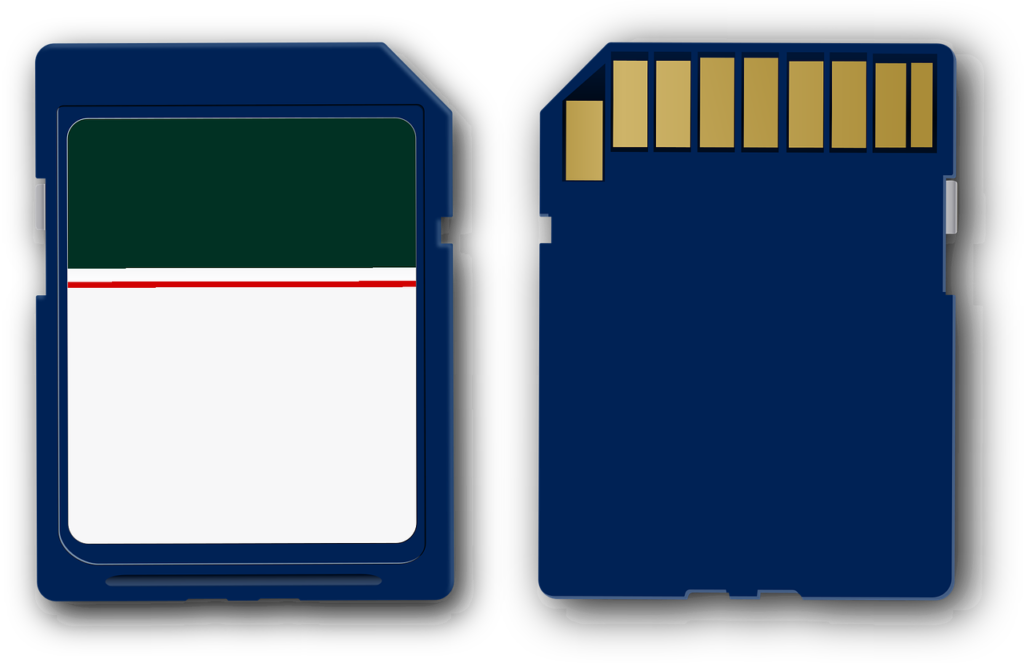
This system supports loop recording when you insert an SD card, so you can capture what’s happening while driving or parked. That capability is useful for documenting incidents or reviewing tricky parking maneuvers.
How loop recording works
Insert an SD card (be sure to check the maximum supported capacity in the manual) and the system will continuously record, overwriting the oldest footage when the card is full. You can retrieve clips after the fact and use them as evidence or to analyze maneuvers.
Playback and file management
Playback is typically done from the monitor or by removing the SD card and viewing files on a computer. Keep regular backups for critical recordings and format the card periodically to maintain reliable recording.
Compatibility and vehicle-specific caveats
This product is marketed as compatible with Furrion pre-wired RV trailers, which greatly simplifies installation for those rigs. It also works with other vehicles using standard 12V power, but some owners of GMC, Chevrolet, and Ford vehicles may need additional accessories.
PWM power signals and GM vehicles
Many newer GM vehicles use PWM (pulse-width modulation) tail light power, which appears as a rapidly switching signal rather than a steady DC voltage. That can cause camera flicker, signal loss, or freezing. To correct this, you should use a Furrion 7-way adapter or a 12V PWM filter, which cleans the power and provides a stable 12V to the camera.
How to identify PWM in your vehicle
If you’re not sure whether your car uses PWM, check the vehicle manual or ask the dealer about “PWM tail lights.” A quick test is to see whether aftermarket lights behave oddly when connected to your tail light wire; if they flicker or behave inconsistently, you likely have PWM and should use a filter or adapter.
Real-world uses and scenarios
You’ll find practical value in multiple scenarios: backing your RV into tight campsites, negotiating narrow roads, changing lanes on highways, and hooking up trailers in low-light conditions. The triple split-screen is especially useful when you need both side and rear views at once.
Backing and docking
When you’re backing into a campsite or aligning a trailer, the rear sharkfin plus side cameras give you a 180-degree style awareness that reduces the chance of hitting posts, stones, or other vehicles. The parking guidelines and split-screen views help you judge distances more confidently.
Towing and lane changes
If you tow a vehicle or trailer, side cameras help monitor clearance and lane position. While this system isn’t a full replacement for dedicated towing mirrors, it supplements your view and can reduce blind-spot risk.
Pros and cons — a practical summary
You’ll want a clear list of strengths and limitations so you can decide if this system meets your needs.
Pros
- Easy plug-in installation for Furrion pre-wired RVs.
- Triple-camera coverage with flexible split-screen options.
- IP69K rating for excellent weather resistance.
- IR night vision for continuous nighttime monitoring.
- 7-inch IPS display with parking guidelines and multiple mounting options.
- DVR loop recording for incident capture.
Cons
- Wireless refers to video only; cameras and monitor still need wired power.
- Some GM vehicles require a PWM filter or Furrion 7-way adapter for stable operation.
- Night vision is IR-based and will show monochrome images in low light, which can obscure color cues.
- SD card and some adapters may not be included and must be purchased separately.
Troubleshooting common issues
If performance isn’t what you expect, these steps will help you get back on track quickly.
No signal or intermittent video
Check that cameras and monitor both have solid 12V power. Ensure antennas on both ends are firmly connected and oriented vertically. If your RV has large metal obstructions between camera and monitor, reposition either device for better line of sight.
Flicker or freeze on GM vehicles
If you have a GM model and see flicker or loss of signal, install a 12V PWM filter or a Furrion 7-way adapter to provide a clean DC supply. Once installed, flicker and freezing usually stop.
Poor night performance
Verify that IR LEDs are not blocked or dirty. Clean lenses gently with appropriate lens cleaner, and check that the light sensor isn’t being fooled by nearby bright lights. Also confirm the monitor brightness and contrast settings for optimal display.
DVR not recording
Make sure the SD card is properly seated, formatted (if required), and supports the system’s capacity limits. Replace with a known-good card to rule out a faulty card, and verify recording is enabled in the monitor menu.
Maintenance and care
A little routine maintenance preserves image quality and system reliability over years of travel.
Cleaning and inspection
Wipe camera lenses with a soft cloth and non-abrasive cleaner. Inspect seals and mounting hardware periodically, especially after severe weather or off-road trips. Tighten mounts if you notice vibration or looseness.
Power connections and corrosion prevention
Check power connectors for corrosion or looseness. Use dielectric grease on exposed connectors if you expect prolonged exposure to moisture, and reroute wires away from pinch points or high-heat areas where possible.
Accessories you might want
To get the most from the system, consider a few add-ons that target common needs.
- Additional cameras for expanded coverage if your setup supports them.
- SD card with sufficient capacity and speed for loop recording.
- Furrion 7-way adapter or 12V PWM filter for PWM-equipped vehicles.
- Extra mounting hardware for alternate camera positions.
- Concealment or protective housings for frequently exposed cameras.
Comparison to wired systems and other wireless kits
You’ll weigh the trade-offs between a fully wired system and this wireless video solution. Wired camera systems can offer slightly more reliable latency and power control because all signals run on physical cables, but they’re often more complicated to install. This system gives you the advantage of simplified video routing and easier camera placement, but it requires wired power to each camera.
Why choose this wireless option
If you want minimal video cabling while retaining flexible camera positioning, this wireless system hits that sweet spot. It’s a good balance of ease-of-install and performance, especially for RVs with existing Furrion pre-wiring.
When wired might be better
If you travel in areas with significant RF interference, or if you need absolute zero latency for specialized towing maneuvers, a fully wired video system might be preferable. Also, professional installations that hide cabling entirely may favor wired systems.
Who should buy this system?
You should consider this product if you want a relatively simple, reliable camera system for your RV that’s capable of covering rear and side areas and supports night recording. It’s especially appealing if your RV already has Furrion pre-wiring and you want a solution that plugs in neatly and keeps wiring visible only minimally.
Ideal user profile
- RV owners who value quick DIY installation.
- People who want multiple camera coverage without extensive video cabling.
- Campers who need better night and weather-resistant monitoring.
- Owners comfortable with basic wiring if your RV is not pre-wired.
Final recommendation and buying tips
If you want a friendly, capable camera system that balances ease of install and robust outdoor performance, this model is a solid choice. Pay attention to the PWM caveat if you own a newer GM vehicle and budget for a PWM filter or adapter if required. Also factor in the cost of an SD card for DVR functionality and any extra cameras you might want later.
Before you buy
- Check if your RV is Furrion pre-wired; if yes, your installation will be much easier.
- Confirm whether your vehicle uses PWM for tail lights and plan for a filter if needed.
- Decide on the SD card capacity you’ll need for loop recording and purchase one rated for continuous video recording.
FAQ — quick answers to common questions
Q: Does “wireless” mean the system needs no wires? A: No. Wireless refers only to video transmission. Both cameras and monitor still require wired 12V power connections.
Q: Can you power the monitor with USB? A: Yes, the monitor can be powered via the included USB cable or the 12V charger adapter for flexibility.
Q: Will the cameras survive heavy rain or pressure washing? A: Yes, the IP69K rating indicates protection against high-pressure, high-temperature washdowns and heavy weather.
Q: Do you need a Furrion adapter for all vehicles? A: Only typically for newer GM vehicles that use PWM for tail lights. Most other brands do not require additional adapters.
Q: Is the SD card included? A: Manufacturers sometimes omit the SD card; plan to purchase a compatible card if you want DVR functionality.
Q: Can you add more cameras later? A: The system supports additional cameras and various split-screen configurations, but verify compatibility and any required additional mounts or wiring.
If you have specific questions about installing on your RV model, want a checklist for installation day, or need help deciding which accessories to buy, tell me your vehicle and RV setup and I’ll help you plan the steps and parts you’ll likely need.

Disclosure: As an Amazon Associate, I earn from qualifying purchases.